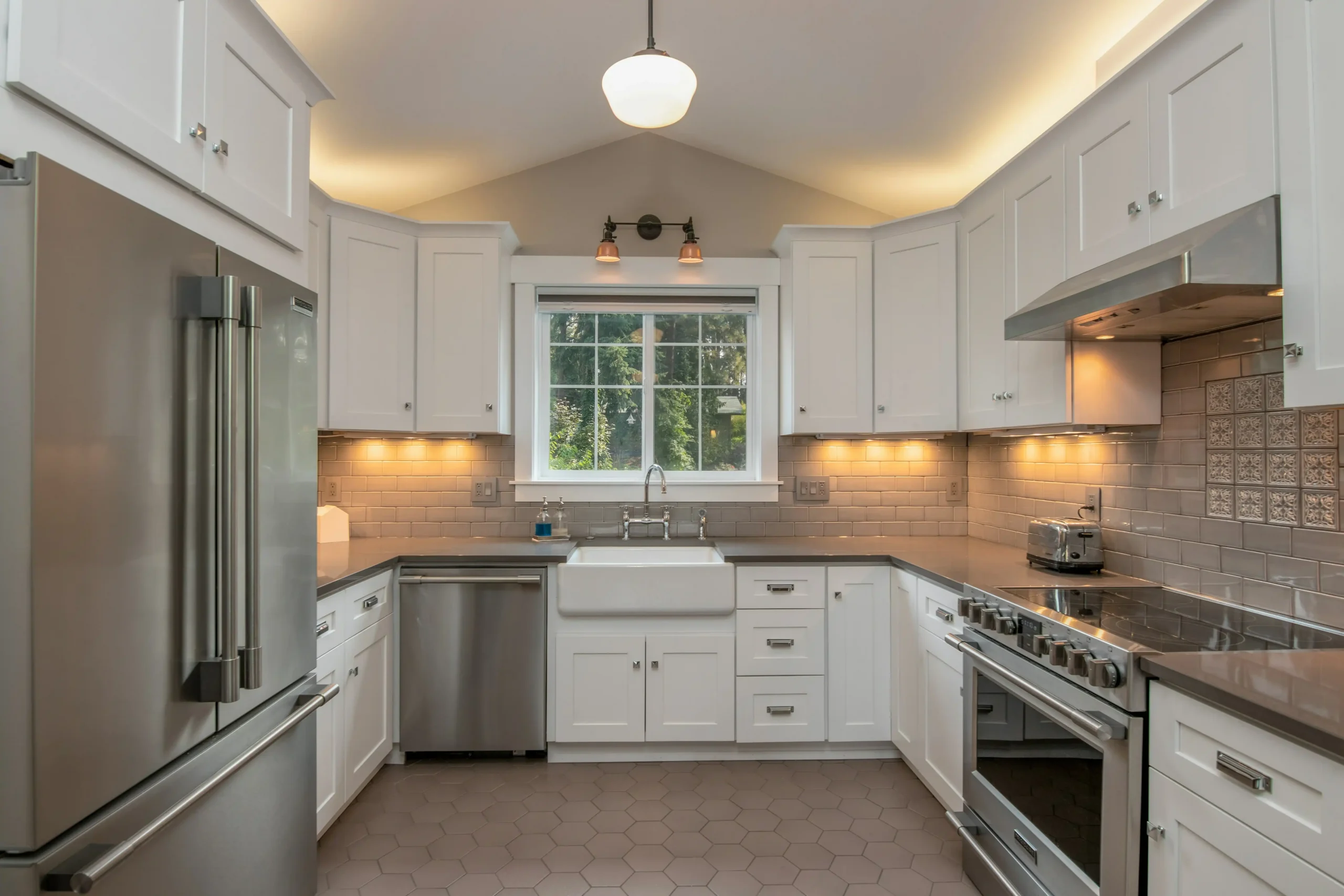
Unlock Your Dream Kitchen: A Guide to 3D Kitchen Design Free Tools
Thinking about giving your kitchen a new look? It can feel like a huge project, right? But what if you could try out different ideas without spending a dime or even lifting a hammer? That’s where free 3D kitchen design tools come in handy. These programs let you play around with layouts, colors, and appliances on your computer, making it super easy to plan your dream kitchen. Let’s check out some of the best ways to use these tools to get started on your kitchen makeover.
Key Takeaways
- Free 3D kitchen design tools help you plan your kitchen without spending money.
- These tools let you see your design ideas in 3D before you start any work.
- You can try out different colors, materials, and layouts easily.
- Some popular free options include Homestyler and Room Planner.
- Using these tools can help you avoid mistakes and save money on your renovation.
Understanding 3D Kitchen Design Free Tools
Benefits of Using Free Design Software
So, you’re thinking about redoing your kitchen? That’s awesome! One of the first things people wonder about is cost. Using free 3D kitchen design software can really help with that. It lets you play around with different ideas without spending a dime on professional design services upfront.
- It’s a great way to visualize your ideas before committing to any actual purchases or renovations.
- You can experiment with different layouts and styles to see what works best for your space.
- It helps you avoid costly mistakes by catching design flaws early on.
Free software is also super accessible. You don’t need to be a design expert to use it. Most programs are designed to be user-friendly, even if you’ve never used design software before. This means you can take control of your kitchen renovation project and bring your vision to life without needing to hire a professional right away.
Key Features of 3D Kitchen Planners
When you’re checking out different 3D kitchen planners, there are a few key features to keep an eye on. First, make sure the software lets you easily rotate and zoom around layouts. This is super important for getting a good feel for the space. You’ll also want to be able to preview cabinet colors and finishes, and visualize the flow between different areas of the kitchen. A good planner will have a library of appliances, cabinets, and other design elements that you can drag and drop into your design. Look for features like:
- Drag-and-drop functionality for easy placement of items.
- A wide selection of materials and finishes to choose from.
- Realistic 3D rendering to help you visualize the final result.
Accessibility and User Experience
Accessibility and user experience are super important when choosing a free 3D kitchen design tool. You don’t want to spend hours trying to figure out how to use the software. The best tools are intuitive and easy to navigate, even if you’re not a tech whiz. Look for software that offers tutorials or guides to help you get started. A user-friendly interface will make the design process much more enjoyable and efficient. Consider these points:
- Clear and easy-to-understand instructions.
- A simple and intuitive interface.
- Helpful tutorials and support resources.
Also, think about whether you prefer to use a desktop application or an online tool. Online tools are often more accessible, as you can use them from any device with an internet connection. Desktop applications, on the other hand, may offer more advanced features and better performance. It really depends on your personal preferences and needs. If you are looking for kitchen cabinet ideas, you can find inspiration online.
Top Free 3D Kitchen Design Software Options
So, you’re ready to dive into designing your dream kitchen, but you don’t want to spend a fortune on fancy software? Good news! There are some really solid free options out there that can help you visualize your ideas. It’s all about finding the one that clicks with your style and needs. Let’s take a look at a few of the top contenders.
Homestyler for Comprehensive Design
Homestyler is a great platform if you want something that feels pretty complete. It lets you design in both 2D and 3D, which is super helpful for getting a feel for the space. You can drag and drop furniture and appliances, making it easy to play around with different layouts. Plus, it has a huge library of materials and textures, so you can really customize the look. If you’re looking to generate stunning kitchen design concepts, this is a good place to start.
Room Planner for Intuitive Layouts
If you’re new to kitchen design, Room Planner might be a good fit. It’s known for being pretty intuitive and easy to use. It gives you simple tools to plan your layout, including measurement tools and a library of kitchen items. The best part? You can view your design in 3D to see how it all comes together. It’s a pretty seamless experience, especially if you’re just starting out. You can even use the Virtual Kitchen Design Tool to get a feel for the space.
Other Notable Free Platforms
Beyond Homestyler and Room Planner, there are a few other free platforms worth checking out:
- Home Design 3D: Good for visualizing entire houses, not just kitchens, which is perfect if you’re doing a full home renovation.
- My Kitchen 3D Planner: Available on Google Play, it offers a ton of features even in the free version. You can create projects and adjust the content of the kitchen.
- ARKitchen: This one’s cool because it uses augmented reality. You can design your kitchen in real-time using your smartphone. It’s innovative and pretty useful. You can download ARKitchen from the App Store to get started.
Using these free tools is a great way to experiment with different ideas and get a solid plan in place before you start spending any real money. It’s all about playing around and seeing what works best for you and your space.
Getting Started with Your 3D Kitchen Design
Initial Layout Sketching
Okay, so you’re ready to jump into designing your dream kitchen. Awesome! The very first thing you should do is grab a pen and paper (or your favorite tablet) and start sketching. Don’t worry about making it perfect; this is just to get a feel for the space. Think about the flow of your kitchen. Where will the fridge be in relation to the stove? How much counter space do you realistically need? Consider the placement of windows and doors – these will impact your design significantly. This initial sketch is your foundation, so take your time and explore different possibilities. If you’re renovating, measure your current kitchen carefully. If it’s a new build, use the blueprints. Accurate measurements are key to a successful 3D design.
Incorporating Design Elements
Now that you have a basic layout, it’s time to start adding some design elements. This is where the fun really begins! Think about the style you’re going for. Are you into modern minimalism, rustic farmhouse, or something in between? Start incorporating those elements into your 3D design. Most free software options have extensive libraries of cabinets, appliances, and fixtures. Drag and drop different items into your layout to see how they look. Don’t be afraid to experiment! This is the time to try out different ideas and see what works best for you. Consider things like the placement of your kitchen islands and how they impact the overall workspace. Remember, you can always change things later, so just have fun with it.
Experimenting with Colors and Textures
Color and texture can completely transform a space. Once you have your basic layout and design elements in place, start playing around with different colors and textures. Most 3D kitchen design tools allow you to easily change the colors of cabinets, walls, and countertops. Try out different combinations to see what you like. Consider the lighting in your kitchen – natural light can affect how colors appear. Texture is also important. Do you want smooth, glossy cabinets or something with a more matte finish? What about the backsplash? There are endless possibilities! Don’t be afraid to get creative and try something unexpected. Remember, you can always save different versions of your design so you can compare them side-by-side. Think about how two-toned kitchen cabinets might add visual interest.
It’s easy to get overwhelmed with all the options available. Start with a color palette that you love and build from there. Consider the overall feel you want to create in your kitchen – warm and inviting, cool and modern, or something else entirely. Don’t be afraid to ask for feedback from friends or family. A fresh pair of eyes can often spot things you might have missed.
Here’s a simple table to help you organize your color and texture ideas:
| Element | Color Options | Texture Options |
|---|---|---|
| Cabinets | White, Gray, Blue, Wood | Glossy, Matte, Textured |
| Countertops | Granite, Quartz, Marble | Smooth, Rough |
| Backsplash | Tile, Glass, Metal | Shiny, Dull |
Remember to check out Final Draft Cabinetry for inspiration and ideas!
Customizing Your Kitchen Space
Selecting Worktops and Finishes
Choosing the right worktops and finishes is a big deal. It’s where you can really inject your personality into the kitchen. Think about how you use your kitchen. Do you need something super durable? Or are you more focused on aesthetics? There are so many options, from classic granite to modern quartz, and even butcher block for a rustic touch. Don’t forget about the backsplash! That’s another chance to add some flair. Consider how the cabinet colors will complement your choices.
Choosing Cabinetry and Appliances
Cabinetry is the backbone of any kitchen. It defines the storage space and overall style. Think about the layout and how you move around the kitchen. Do you need lots of drawers? Or are shelves more your thing? And then there are the appliances. Stainless steel is always a safe bet, but maybe you want to go bold with a colorful range. Make sure everything fits your space and your budget. It’s a balancing act, for sure. You can use an online kitchen planner like RoomSketcher to visualize these changes instantly.
Integrating Lighting and Flooring
Lighting and flooring are often overlooked, but they can make or break a kitchen design. Good lighting is essential for both cooking and creating a nice atmosphere. Consider a mix of ambient, task, and accent lighting. Under-cabinet lights are great for prepping food, while a pendant light over the island can add a touch of elegance. For flooring, think about durability and ease of cleaning. Tile, hardwood, and even vinyl are all viable options. Make sure the flooring complements the minimalist kitchen design you’re aiming for.
Don’t be afraid to mix and match styles. A modern kitchen can still have a touch of rustic charm, and a traditional kitchen can benefit from some modern updates. The key is to find a balance that reflects your personal taste and creates a space that you love spending time in.
Here are some things to consider when choosing lighting:
- Brightness (lumens)
- Color temperature (warm vs. cool)
- Energy efficiency (LEDs are great!)
And for flooring:
- Durability
- Water resistance
- Maintenance
Visualizing Your Dream Kitchen
2D and 3D Viewing Capabilities
One of the coolest things about using 3D kitchen design tools is the ability to see your future kitchen in both 2D and 3D. The 2D view is great for planning the layout and making sure everything fits, like where the fridge goes or how much counter space you have. But the 3D view? That’s where the magic happens. You can really get a feel for the space and how all the elements work together. It’s way better than just looking at blueprints. You can easily design your kitchen with these tools.
Virtual Walkthroughs and Perspectives
Okay, so you’ve got your 3D model. Now what? Many of these free tools let you do a virtual walkthrough. It’s like you’re actually standing in your new kitchen! You can move around, check out the sightlines, and see how the light hits different surfaces. It’s super helpful for spotting potential problems or just getting excited about the finished product. Plus, you can experiment with different perspectives to find the most appealing view of your space. It’s a game changer for sure.
Real-Time Design Adjustments
The best part about digital design is how easy it is to make changes. Don’t like the color of the cabinets? Switch it up in seconds. Want to see how a different countertop looks? Just a few clicks and you’ve got a whole new vibe. Real-time adjustments mean you can experiment without any commitment. It’s all about playing around until you find the perfect combination. It’s also a great way to avoid costly mistakes down the road. You can even get a free trial to test out the software.
Being able to see changes instantly is a huge advantage. It lets you explore different ideas and make informed decisions without the stress of permanent choices. It’s like having a superpower for kitchen design!
Here’s a quick list of things you can adjust in real-time:
- Cabinet colors and styles
- Countertop materials and finishes
- Appliance placement
- Lighting options
And here’s a table showing how different adjustments can impact the overall look:
| Adjustment | Impact |
|---|---|
| Cabinet Color | Sets the overall tone and style |
| Countertop Material | Affects durability and aesthetics |
| Lighting | Creates ambiance and highlights features |
Don’t forget to check out the kitchen cabinet trends before you finalize your design.
Optimizing Your Design Process
Utilizing Pre-Made Layouts
Starting from scratch can be daunting. Many free 3D kitchen design tools offer pre-made layouts to give you a head start. These templates can be a great source of inspiration or a solid foundation that you can tweak to fit your specific needs. It’s like having a cheat sheet to get you going!
Leveraging Extensive Material Libraries
One of the coolest things about these tools is the access to huge material libraries. You can experiment with different cabinet finishes, countertop materials, and flooring options without having to order samples or visit a store. This saves time and money, and it lets you see how different elements work together in your space. It’s all about visualizing the final product before you commit.
Saving and Sharing Your Designs
Make sure you save your work frequently! Most platforms allow you to save multiple versions of your design, so you can easily go back and compare different ideas. Plus, the ability to share your designs with family, friends, or even a contractor can be super helpful for getting feedback and making sure everyone is on the same page. It’s a collaborative process, after all.
It’s a good idea to create a folder on your computer specifically for your kitchen design project. This way, you can keep all your saved designs, screenshots, and inspiration images in one place. This will help you stay organized and avoid losing any important files.
Advantages of Digital Kitchen Planning
Digital kitchen planning offers a bunch of cool advantages over traditional methods. It’s not just about making things look pretty on a screen; it’s about saving time, money, and headaches. Let’s get into the specifics.
Cost-Effective Renovation Planning
One of the biggest perks is how much it can save you during a renovation. With digital tools, you can experiment with different layouts and materials without spending a dime on physical samples or trial-and-error installations. This is a game-changer because renovations can get expensive fast. You can try out different cabinet colors and see how they look in your space before committing to a purchase. Plus, many free tools offer features to estimate costs, helping you stay within budget.
Reducing Design Errors
Ever started a project only to realize halfway through that something isn’t going to work? Digital planning helps prevent those moments. By visualizing your kitchen in 3D, you can catch potential problems early on. This could be anything from a door that doesn’t open fully to an appliance that doesn’t fit.
Here’s a quick list of common errors that digital planning can help avoid:
- Incorrect measurements
- Poor traffic flow
- Incompatible appliance sizes
- Insufficient storage space
Digital planning allows you to see the whole picture before you start tearing down walls. This reduces the risk of costly mistakes and ensures a smoother renovation process.
Enhancing Creative Exploration
Digital tools make it easier to explore different design ideas. You’re not limited by physical constraints or the cost of materials. Want to see what your kitchen would look like with a bold color scheme or a completely different layout? Just a few clicks, and you can see it. This freedom encourages creativity and helps you discover design options you might not have considered otherwise. Customers can visualize their customized product designs from all angles within a 3D planning room. It’s like having a virtual playground for your kitchen.
Here are some ways digital planning enhances creative exploration:
- Experiment with different styles and themes.
- Try out various color palettes and textures.
- Visualize different lighting scenarios.
- Easily compare multiple design options.
With digital planning, you can really push the boundaries of your kitchen design and create a space that’s uniquely yours. If you are a professional designer, you can use a kitchen and bathroom design application like 2020 Design Live to help with space planning.
Exploring Advanced Design Features
Augmented Reality Integration
Imagine pointing your phone at your current kitchen and seeing a virtual overlay of your new design. That’s the power of augmented reality (AR) integration. Some free kitchen design tools are starting to incorporate AR features, allowing you to visualize how different cabinets, appliances, and layouts will look in your actual space before you even lift a hammer. It’s not perfect yet, but it’s a game-changer for getting a realistic sense of scale and aesthetics. This can be especially helpful when deciding between two very similar kitchen cabinets.
AI-Powered Design Suggestions
AI is making its way into kitchen design, and it’s pretty cool. Some platforms now offer AI-powered design suggestions based on your preferences, space constraints, and even current trends. You might input your desired style (modern farmhouse, anyone?) and the software will generate layout options, color palettes, and material recommendations. It’s like having a virtual design assistant that can help you brainstorm and refine your ideas. It’s worth noting that the AI isn’t always spot-on, but it can be a great source of inspiration and help you avoid common design pitfalls. For example, it might suggest a layout that optimizes workflow or recommends materials that are durable and easy to clean. This is especially useful if you’re feeling stuck or overwhelmed by the sheer number of choices available.
Collaboration Tools for Feedback
Designing a kitchen is rarely a solo project. Whether you’re working with a partner, family member, or contractor, getting feedback is essential. Many of the newer free 3D kitchen design tools include collaboration features that allow you to easily share your designs, gather comments, and make revisions in real-time. This can streamline the design process and ensure that everyone is on the same page.
Collaboration tools often include features like shared design boards, in-app messaging, and the ability to assign tasks to different team members. This can be particularly helpful for managing larger renovation projects or when working with a cabinetry company located in another city.
Here are some common collaboration features:
- Real-time co-designing
- Annotation and commenting
- Version control
- Integrated communication tools
From Virtual Design to Reality
Connecting with Local Showrooms
So, you’ve spent hours crafting your dream kitchen in the digital space. What’s next? It’s time to bridge the gap between the virtual and the real. One of the best ways to do this is by visiting local showrooms. Seeing materials and finishes in person can make a huge difference. You can touch the countertops, examine the cabinetry, and get a true sense of the colors and textures. This hands-on experience is invaluable before making any final decisions. Plus, showroom staff can offer insights and advice based on your 3D design.
Obtaining No-Obligation Quotes
Once you have a solid idea of the materials and appliances you want, it’s time to get some quotes. Don’t be shy about reaching out to multiple suppliers and contractors. Gathering several no-obligation quotes allows you to compare prices and services, ensuring you get the best possible deal. Be sure to provide them with your 3D kitchen design plans so they can give you accurate estimates. This step is crucial for cost-effective renovation planning kitchen island size.
Professional Design Consultation
While free 3D kitchen design tools are fantastic, sometimes you need a professional’s touch. Consider a design consultation to review your plans and get expert advice. A professional designer can identify potential issues you might have missed, suggest improvements, and help you refine your design. They can also assist with technical aspects like plumbing and electrical layouts. Final Draft Cabinetry offers free quotes for cabinets and other services, so it’s worth exploring those options. Think of it as an investment in ensuring your dream kitchen becomes a reality, without the headaches. You can also find kitchen cabinets in Vancouver if you are in the area.
It’s easy to get caught up in the excitement of designing your kitchen. However, remember that a well-thought-out plan is essential for a successful renovation. Don’t rush the process, and be sure to seek professional advice when needed. This will save you time, money, and frustration in the long run.
Ever wonder how your dream kitchen or bathroom goes from a simple idea to a real, beautiful space? It all starts with smart planning and design. We help you see your vision come to life, making sure every detail is just right before we even begin building. Ready to start your own project? Get a free estimate today and let’s make your home amazing!
Conclusion
So, there you have it. Free 3D kitchen design tools are pretty helpful. They let you try out different ideas for your kitchen without spending any money. You can play around with layouts, colors, and materials until you find something you like. This makes planning your kitchen project much easier. Give one of these tools a try; it might surprise you how much you can do.
Frequently Asked Questions
What are 3D kitchen design tools?
These tools let you plan your kitchen on a computer or tablet. You can try different layouts, pick colors, and see how everything looks in 3D before you start any actual work. It’s like building your kitchen virtually first!
Are there really free 3D kitchen design tools available?
Yes, many great tools are completely free! They often have enough features for you to design a fantastic kitchen without spending a dime.
Do I need special skills to use these design tools?
Absolutely! Most free tools are made to be easy for everyone to use, even if you’ve never designed anything before. They often have simple drag-and-drop features and helpful guides.
What parts of my kitchen can I design with these tools?
You can change almost everything! This includes the layout of your kitchen, the types of cabinets, colors of walls and counters, flooring, and even where appliances go. You can really make it your own.
How can I see my kitchen design in 3D?
Many tools let you see your design from different angles, like a bird’s-eye view or a walk-through. Some even have features to show you how your kitchen would look in real life using your phone’s camera.
What’s the best way to start designing my kitchen?
It’s a good idea to start with your kitchen’s size and shape. Then, you can add big things like counters and appliances. After that, have fun trying out different colors, textures, and decorations.
What are the main benefits of using free kitchen design software?
Using these tools helps you avoid mistakes because you can see everything before you buy it. It also saves money because you don’t have to pay a designer for basic plans. Plus, it’s fun to be creative!
Can I share my finished kitchen design with others?
Once you’re happy with your design, you can usually save it as a picture or a file. You can then show it to friends, family, or even contractors to get their ideas or quotes for your project.